
The Q&W practical guide · 7 simple tips
Tips for taking awesome photos of your property.
Better light. Straighter lines. A clearer story. Simple techniques for the suburban homes, condos and townhomes around Montgomery County—using the phone you already own.
For homeowners, landlords & residents
Show me the tips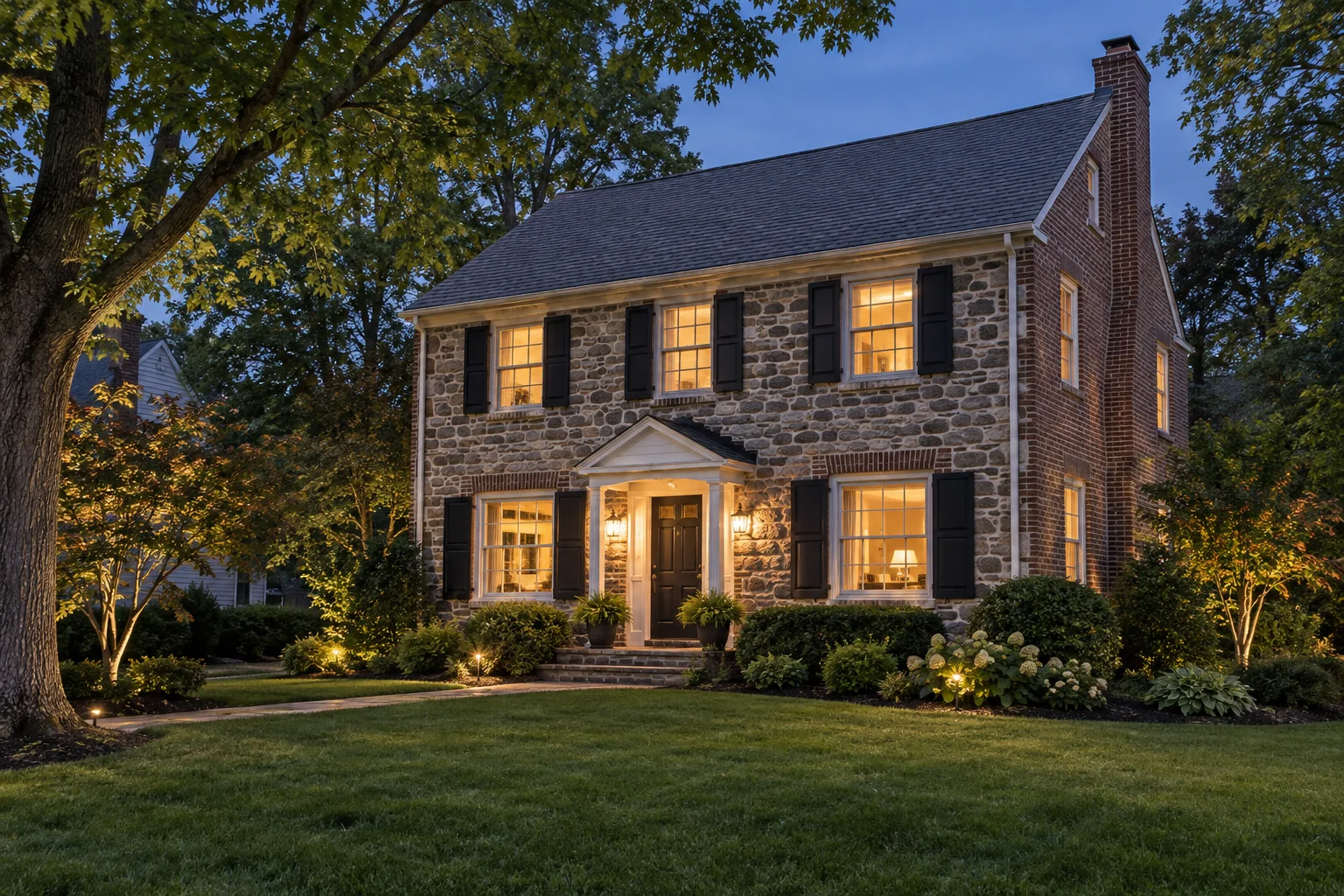
Your one-minute setup
Clean the lens→Find the light→Level the phone→Take & check
No fancy equipment required
Seven small steps. Much better photos.
Start with a clean lens and a little preparation.
Wipe your phone’s camera lens with a soft, clean cloth. For listing photos, clear counters, straighten furniture, make beds and tuck away cords. Small distractions can pull attention away from the room.
Try this: Do a 30-second scan: clutter, fingerprints, reflections and anything private.
Documenting a repair? Photograph the condition as it is before cleaning up or moving anything, and only when it is safe.
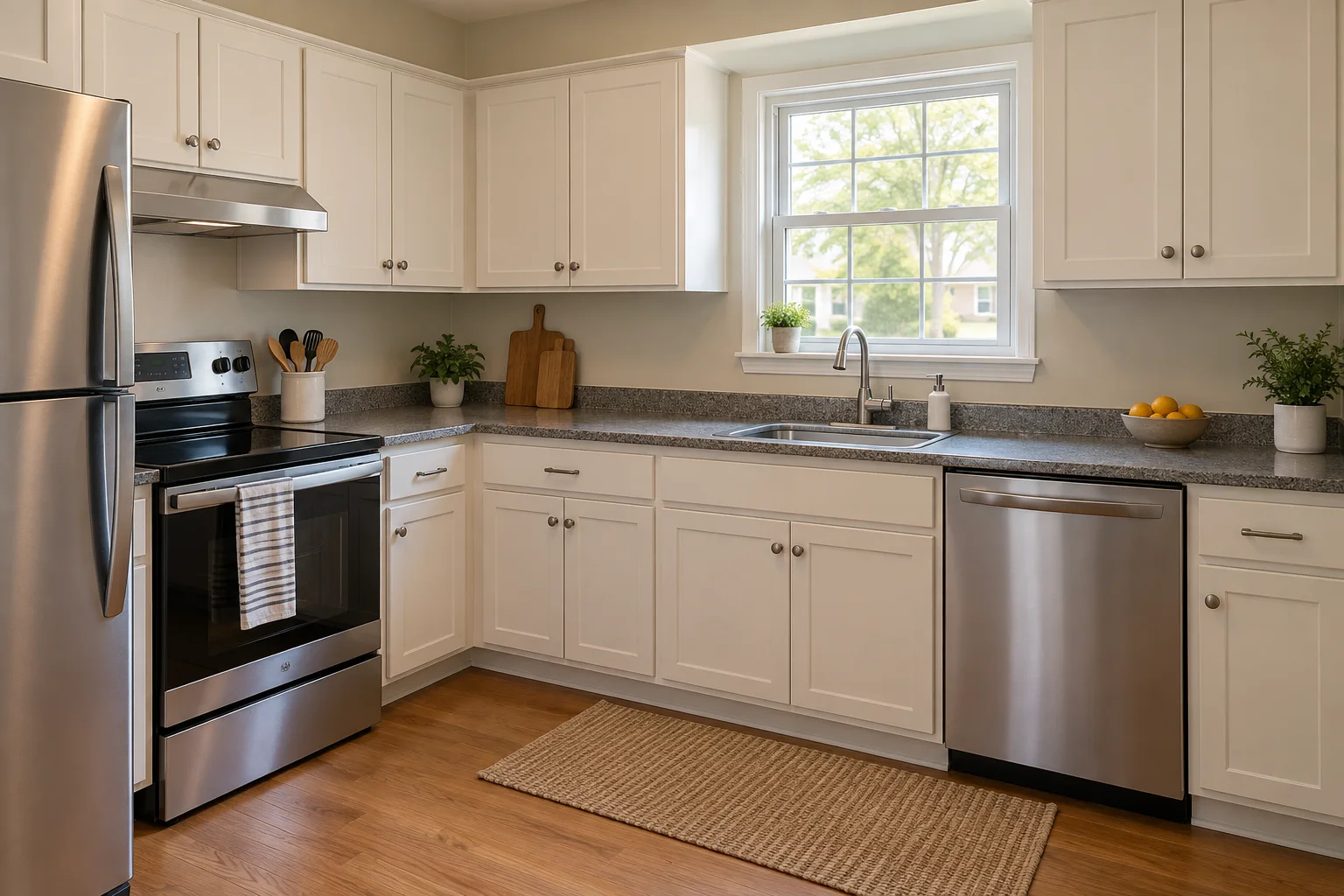
Clear counters. A clearer photo.A little preparation lets the cabinets, work surfaces and layout tell the story. A few everyday items keep the room feeling welcoming. Choose the right light—inside and out.
Open curtains and blinds. Soft daylight usually looks more natural than a phone flash. Try a few positions with the window beside or behind you, rather than pointing straight into a bright window. If the room looks too dark, tap the room on your screen and adjust the brightness gently.
Try this: For daytime exteriors, try soft morning light or a bright overcast day. For an inviting evening photo, turn on interior lamps and porch lights, then shoot just after sunset while the sky still has some color.
An evening photo is a great extra—not a replacement for a clear daytime view. Stay on a safe, permitted path and avoid photographing into a neighbor’s home.

Lights on. Sky still blue.Warm windows create a welcoming contrast with the evening sky. Photograph before it gets so dark that the roof, lawn and paths disappear. Keep your phone level and your lines straight.
Turn on the camera grid, hold your phone with two hands and line up doorframes with the vertical grid lines. Start around chest height and adjust for the space. Tilting the phone sharply up or down makes walls look as if they are leaning.
Try this: Pause for a second before tapping the shutter. Check that doorframes look straight.
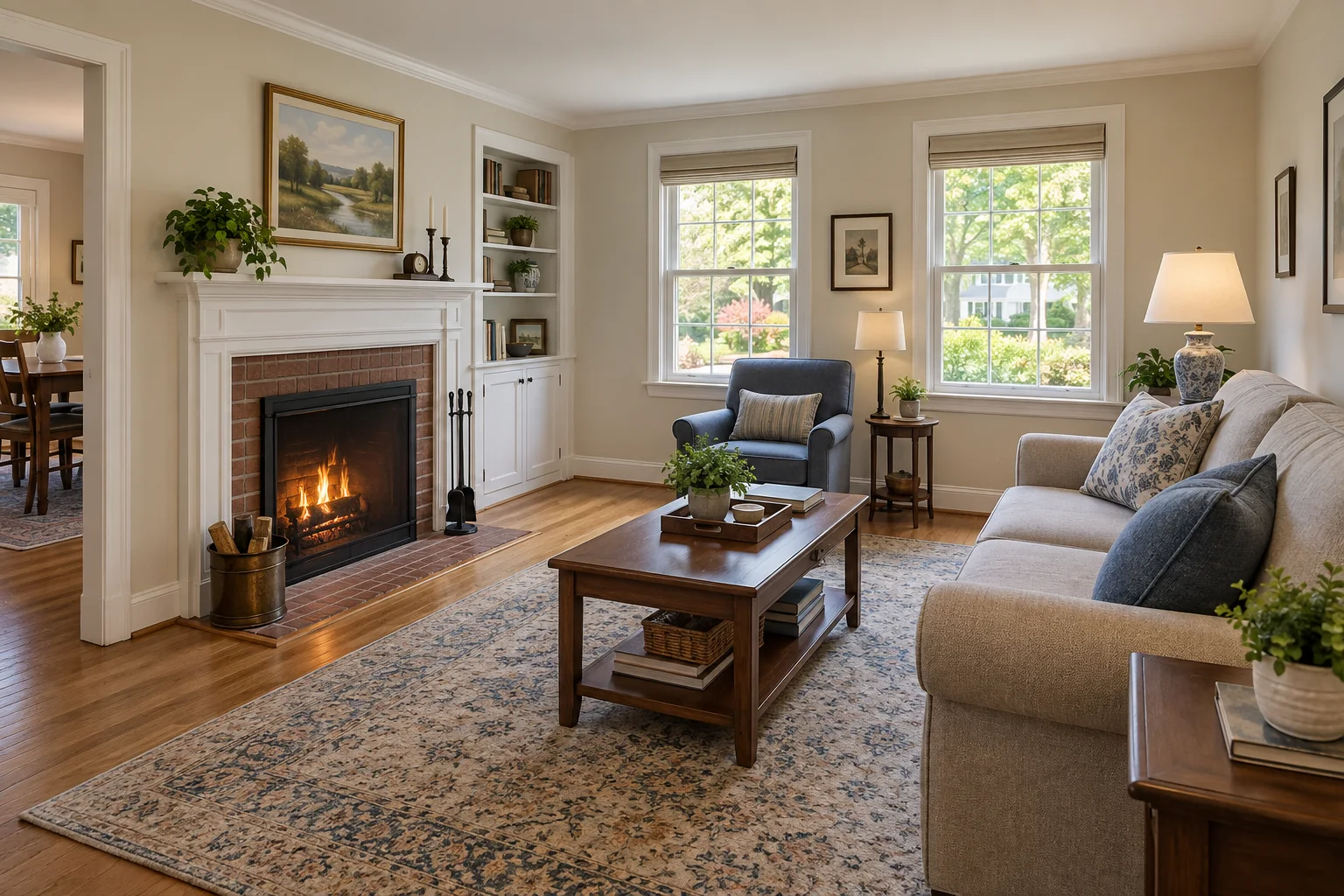
Use the doorframes as your guide.Level lines and a natural corner view show the fireplace, seating and connection to the next room without making the space look stretched. Show the room—not a distorted version of it.
Start with your phone’s standard 1× camera. Stand in a doorway or corner and step back only where it is safe. A horizontal photo often gives a useful view of a whole room. Very wide lenses can stretch furniture and exaggerate size; use them sparingly and keep the result honest.
Try this: Take two or three different angles instead of trying to squeeze everything into one picture.
Get the big picture, then the important detail.
For a listing, show how rooms connect, then capture useful features such as storage, appliances or outdoor space. For a repair or exterior change, a wide view shows where the item is, a medium view shows the whole item, and a close-up shows the specific condition.
Try this: Think in threes: the location, the whole item and the detail. Three clear photos are often more useful than ten similar ones.
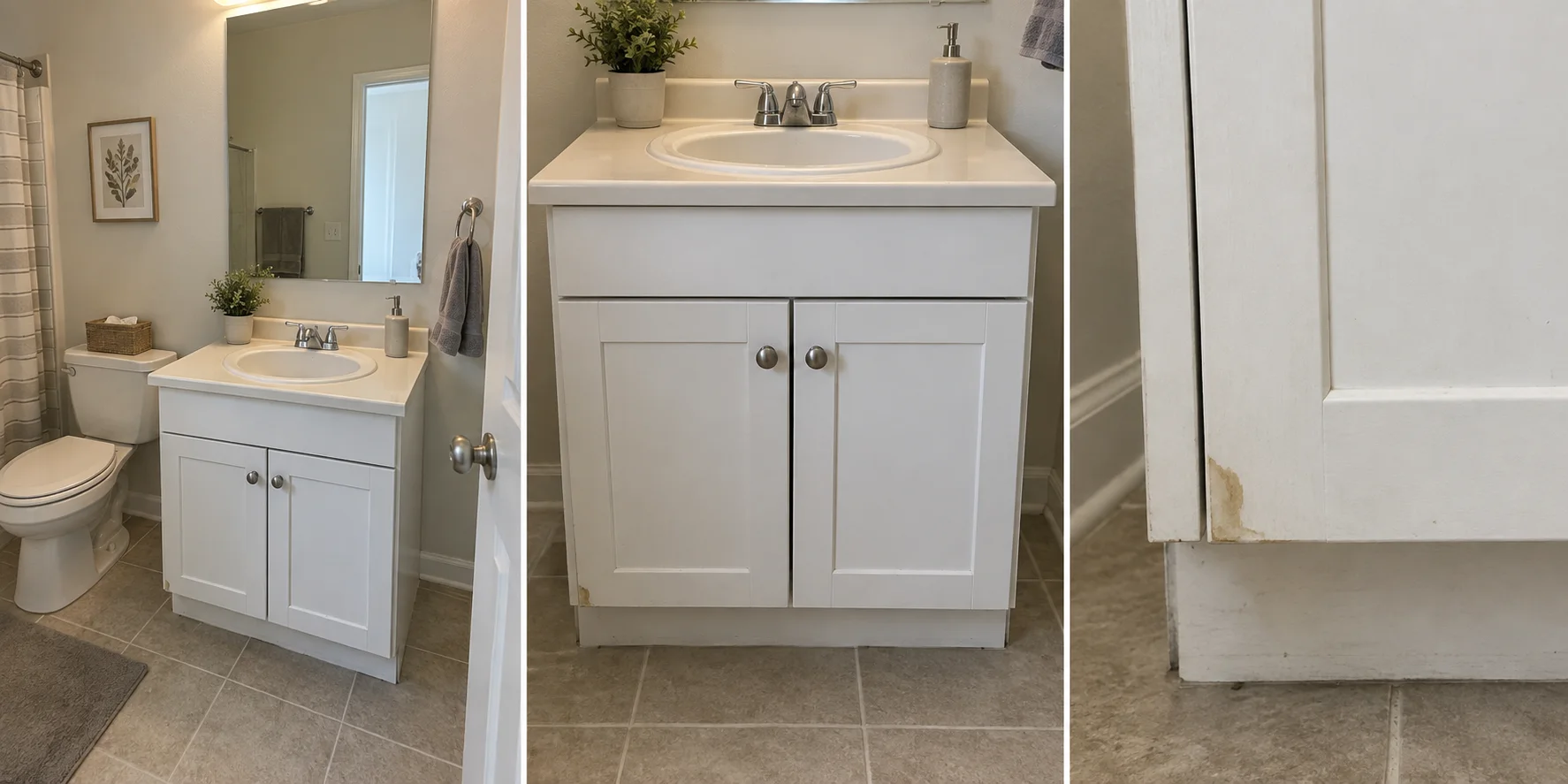
One issue, three useful views. Start wide enough to show where the item is, then show the item itself, then its condition. A close-up alone would not tell our team which room or cabinet to look for. Tap to focus. Take another. Check it now.
Tap the feature you want sharp, steady your hands and take a second shot. Zoom in on the saved photo to check for blur, glare and readable detail before you leave the room. Move closer safely instead of using heavy digital zoom.
Try this: Need to show a model label or a small defect? Take a separate, well-lit close-up—not a screenshot of the wide photo.
Share clear originals, with privacy in mind.
Choose the clearest images and upload the original photos rather than screenshots or compressed copies. Light cropping and straightening can help, but avoid filters or edits that hide damage, change colors or misrepresent a space.
Try this: Before sharing publicly, check mirrors, mail, family photos, faces, license plates and security details. Get permission before photographing an occupied home.
When sending a private maintenance request, include the room and a short description. Use the request form or Online Portal—not a public post containing personal information.
Sending photos to our team?
A simple three-photo checklist.
Especially helpful for maintenance and exterior change requests. Photos help us understand the issue; they do not replace an inspection.
The location
A wide view showing the room, wall or outside area.
The whole item
The window, appliance, fixture or area you are asking about.
The detail
A clear close-up of the condition, damage or relevant label.
Ready to put those photos to work?
Use the right request so your pictures stay with the details.
These AI-generated photo illustrations are inspired by suburban homes in Montgomery County, Pennsylvania. They demonstrate photography techniques; they are not actual listings, inspection evidence or properties identified as managed by Quinn & Wilson.